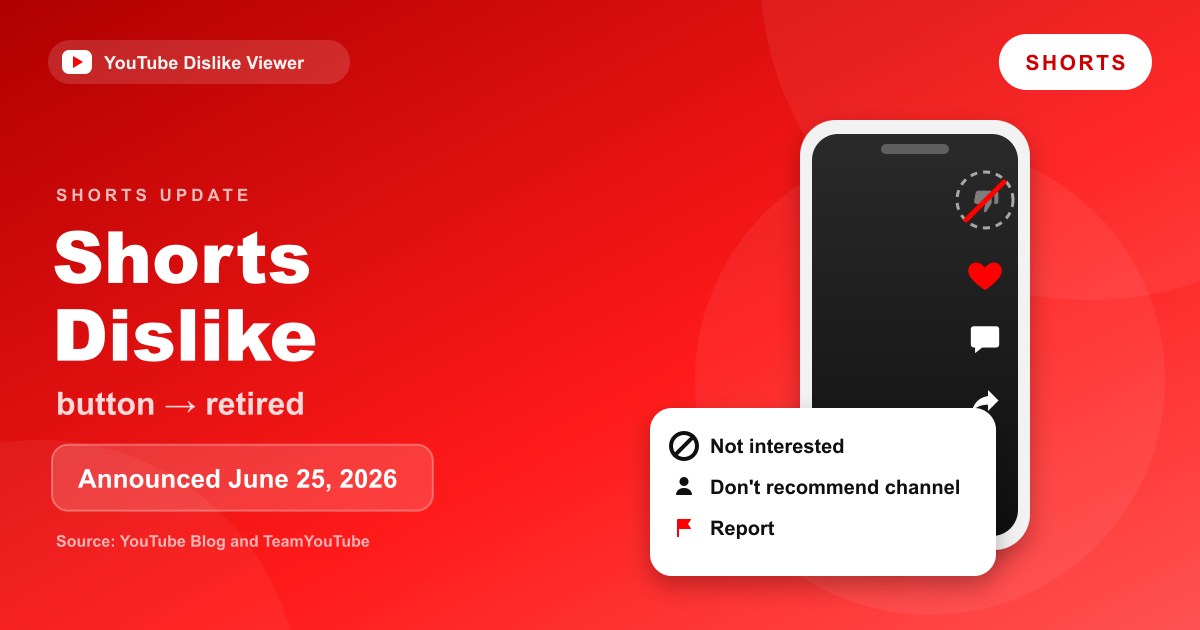
Yes, the dislike button on YouTube Shorts is gone, and it isn’t a glitch. YouTube announced on June 25, 2026 that it was retiring the Shorts dislike button and replacing the thumbs-up with a heart. To tell YouTube a Short isn’t for you, open the Short’s three-dot menu and choose Not interested or Don’t recommend this channel, and use Report for content you think breaks the rules. Regular long-form videos and live streams still have their dislike button.
This guide covers what changed in the Shorts player, why YouTube says it did it, and which of the replacement options fits the situation you’re in. If what you actually want is the number of dislikes on a Short, that’s a different question with a different answer, covered in Can you see dislikes on YouTube Shorts?
What changed at a glance
Here’s the Shorts player before and after the June 2026 update, based on YouTube’s own announcement and its Help Center.
| Control | Before June 2026 | After the update |
|---|---|---|
| Like | Thumbs-up icon | Heart icon |
| Dislike | Thumbs-down icon (moved into the menu in some tests) | Retired on Shorts |
| Not interested | In the three-dot menu | Still in the menu, now with a prompt to share a reason |
| Don’t recommend this channel | In the three-dot menu | Still in the menu |
| Report | In the three-dot menu | Still in the menu |
| Dislikes in YouTube Studio (creators) | Updated as viewers disliked | Historical data kept, count stopped updating by the end of June 2026 |
The same update also added a Clear screen mode, 2x playback speed and an easier mute control. Those are covered briefly below, but the feedback change is the part that affects how you tell YouTube what you don’t want.
When it happened
The removal didn’t arrive out of nowhere. YouTube had been experimenting with the Shorts feedback buttons for well over a year before it made the change official.
- October 2024: YouTube tested a Save button in the Shorts player. In that experiment, YouTube said, the Dislike button was “housed in the 3-dot menu icon” instead of sitting in the main button column.
- Spring 2026: Some viewers started seeing a heart in place of the thumbs-up on Shorts, and for some of them the dislike button disappeared entirely. Reports of the test spread in early June 2026.
- June 25, 2026: YouTube published the change on the official YouTube Blog and in a pinned TeamYouTube post on the YouTube Help Community. The feedback changes were described as rolling out “over the coming weeks.”
- End of June 2026: The dislike count for Shorts in YouTube Studio stopped updating for creators.
- July 14, 2026: Responding to complaints on X, TeamYouTube said it “retired the dislike button from Shorts to give you clearer, more effective control over your recommendations.”
YouTube’s Like or dislike a video Help page now tells users to tap the heart for Shorts and to use the thumbs-down only on “a long-form video or livestream.” The same page says the update “is gradually rolling out to all users,” which explains why a few people noticed it later than others.
Why YouTube says it removed the button
YouTube gave two connected reasons, and both are about recommendations rather than about hiding criticism.
The first is that a dislike was too vague. The YouTube Blog post says disliking a Short “could mean anything from ‘poor audio quality’ to simply ‘not my cup of tea.’” A single thumbs-down doesn’t tell YouTube which of those you meant, so it can’t act on it very precisely.
The second is overlap. In its July reply, TeamYouTube said its research “showed it overlapped with tools like ‘Not interested’ and ‘Don’t recommend this channel.’” The Help Community announcement adds that people weren’t always sure which option to choose when content “just wasn’t right” for them, or when they thought it might break the Community Guidelines. Removing the dislike leaves one clear path for each of those situations.
Plenty of viewers disagree with that reasoning, and the announcement thread is full of requests to bring the button back. As of September 11, 2026, YouTube hasn’t announced any plan to restore it.
Exactly what changed in the Shorts player
The update touched several parts of the Shorts screen at once. Here’s what YouTube listed.
The heart replaces the thumbs-up. YouTube describes it as “a more expressive way to show when a video truly resonates with you.” Tapping the heart is the Shorts equivalent of a like.
The dislike button is retired. There’s no thumbs-down on the Shorts player anymore. It wasn’t moved into the menu this time; it was removed.
Not interested now asks why. When you select Not interested on a Short, YouTube says you’ll be able to “share specific reasons why that Short wasn’t right for you.” That’s the more detailed signal YouTube wanted in place of a bare dislike.
Clear screen mode. A single tap hides all the buttons and text on the screen so you can watch the video unobstructed.
2x speed. Hold down the edge of the screen to play a Short at double speed, and lift your finger to stop. You can lock 2x for the whole video by swiping down while pressing on the player.
Easier mute. Tap the screen to pause, then tap the mute icon.
A tidier layout. Features such as the audio track and related video links now sit in a swipeable row of buttons under the video title.
Are regular videos and live streams affected?
No. TeamYouTube’s announcement says “Dislikes will continue to be reported as usual for long-form videos and Live,” and it ends with a plain statement: “These changes are specific to Shorts.” YouTube’s Help page backs that up by keeping the thumbs-down instructions for long-form videos and livestreams.
We also checked this ourselves on September 11, 2026. On a normal watch page, YouTube’s page data still included the “Dislike this video” button for a long-form video. On the Shorts player page for a current Short, there was no dislike control at all.
One detail surprised us. When we opened that same Short as a standard watch page on a computer (by swapping /shorts/ for /watch?v= in the address), the page data still included the dislike button. That’s a quirk of how the regular player treats every video, not a feature YouTube advertises, and it could change at any time. It also doesn’t bring back the Shorts dislike count for creators, which YouTube says stopped updating at the end of June.
What to use instead of the dislike button
There are three replacement options in the Shorts menu, plus two related controls that help in specific cases. They do different jobs, so picking the right one matters.
Not interested
Use this when a Short is fine but simply not for you. YouTube’s recommendations Help page says videos you mark as Not interested help “inform what to avoid recommending in the future.” On Shorts, you can now add a reason, which gives YouTube more to work with than a thumbs-down ever did.
Not interested applies to that one Short and content like it. It doesn’t block the channel.
Don’t recommend this channel
Use this when the problem is the channel, not one video. YouTube says it treats this choice as a signal that “the channel content likely isn’t something you enjoyed watching.” It’s the stronger of the two options, so save it for channels you really don’t want in your feed.
Report
Use Report only when you believe a Short breaks YouTube’s Community Guidelines, for example scams, harassment or dangerous content. According to YouTube’s reporting Help page, reports are anonymous, reported content isn’t removed automatically, and YouTube reviews it against its guidelines. Reporting a Short you merely didn’t enjoy won’t get it taken down.
The heart, for the other direction
The heart is how you show YouTube you liked a Short. It’s the only rating button left on the Shorts player, so it now carries all the positive feedback that used to be split between likes and the like-to-dislike balance.
Show fewer Shorts
If your issue is Shorts appearing on your Home feed at all, YouTube offers Show fewer Shorts from the three-dot menu at the top of a Shorts grid on Home. That’s a different control from anything on an individual Short, and you can clear it later in My Activity.
Which option should you pick?
Most of the confusion YouTube mentioned comes down to matching the option to the problem. This table covers the common cases.
| Your situation | Best option |
|---|---|
| The Short is fine, it’s just not your taste | Not interested |
| You’ve already seen it too many times | Not interested (add the reason if offered) |
| You never want this channel in your feed | Don’t recommend this channel |
| The Short looks like a scam, harassment or dangerous content | Report |
| The Short is misleading in a way that breaks the rules | Report |
| You enjoyed it and want more like it | Heart |
| You want fewer Shorts on your Home feed overall | Show fewer Shorts |
For a deeper side-by-side of these signals, including how each one behaves on regular videos where the dislike button still exists, see Dislike vs Not Interested vs Don’t Recommend Channel.
How to find the options on your phone and computer
The replacement options all live behind the Short’s three-dot (More) menu. Menu positions shift between app versions, so look for the three dots rather than a fixed spot on the screen.
In the YouTube app (Android, iPhone and iPad):
- Open the Short you want to give feedback on.
- Tap the three-dot More menu on the Short.
- Choose Not interested, Don’t recommend this channel or Report.
- If you chose Not interested, pick a reason when YouTube asks.
On a computer:
- Open the Short on youtube.com.
- Click the three-dot More button in the Shorts player. YouTube’s Help Center places it in the bottom-right corner of the player.
- Choose the option you want.
Some options only appear when you’re signed in. YouTube’s recommendations Help page notes that certain feedback features “are only available if you are signed in to your account.”
Still seeing a thumbs-down on Shorts?
A few situations can make it look like the change hasn’t happened.
The rollout hasn’t reached you. YouTube’s Help Center says the update is rolling out gradually. An app that hasn’t been updated in a while may still show the old layout, so updating the YouTube app is the first thing to try.
You’re on a watch page, not the Shorts player. As noted above, a Short opened through a regular /watch?v= link on a computer can show the standard player, which still has a dislike button.
It’s an extension’s button. On desktop, version 4.0.5 of the Return YouTube Dislike extension, released in September 2026, adds its own dislike button and estimated count to Shorts where YouTube no longer shows one. That button belongs to the extension, not to YouTube.
If the thumbs-down is missing on a regular video or a live stream, where it should still appear, that’s a separate problem with its own fixes in YouTube dislike button missing on videos or live streams.
What this means for creators
Creators lost a feedback number on Shorts, but not their history. TeamYouTube says creators “still have access to historical ‘Dislike’ data for Shorts in YouTube Studio,” while the count “will stop updating for Shorts by the end of June.”
To judge how a Short is landing now, YouTube points creators to metrics such as likes and the percentage of times viewers chose to watch a Short instead of swiping away. Long-form and live dislike reporting is unchanged. For a full walkthrough of where these numbers sit in Studio and how to read them, see YouTube Studio likes vs dislikes.
Common misconceptions
“YouTube moved the dislike into the menu.” That was the October 2024 test. The June 2026 change retired the dislike on Shorts completely.
“YouTube removed the dislike button everywhere.” It didn’t. Long-form videos and live streams keep it, and YouTube says the Shorts change is specific to Shorts.
“Not interested is just a renamed dislike.” Not quite. A dislike was a rating on the video that the creator saw as part of a total. Not interested is feedback about your own recommendations, and on Shorts it now comes with a reason.
“Reporting is the new dislike.” Report is for suspected rule-breaking. YouTube reviews reports against its guidelines, and reporting a Short you just didn’t like won’t remove it.
Frequently asked questions
Did YouTube remove the dislike button from all videos?
No. YouTube retired the dislike button only on Shorts. Long-form videos and live streams still have the thumbs-down, and YouTube says dislikes on those formats continue to be reported as usual.
Why did YouTube replace the like button on Shorts with a heart?
YouTube says the heart gives viewers “a more expressive way to show when a video truly resonates” with them. It works as the like for Shorts, and it’s now the only rating button left on the Shorts player.
Can I still dislike a YouTube Short?
Not from the Shorts player. The closest replacements are Not interested, which lets you add a reason, and Don’t recommend this channel, both in the three-dot menu. Use Report if you think the Short breaks the rules.
Will the Shorts dislike button come back?
YouTube hasn’t announced any plan to bring it back. In July 2026 TeamYouTube defended the decision, saying the dislike overlapped with Not interested and Don’t recommend this channel.
Does choosing Not interested tell the creator?
YouTube describes Not interested as a signal for tuning your own recommendations. Its Help pages don’t describe it as feedback that’s shown to the creator, and they don’t mention any notification.
Checked against the YouTube Blog, YouTube Help Center, the TeamYouTube announcement and live Shorts pages on September 11, 2026. YouTube is still rolling this change out, so layouts may differ slightly by app version.