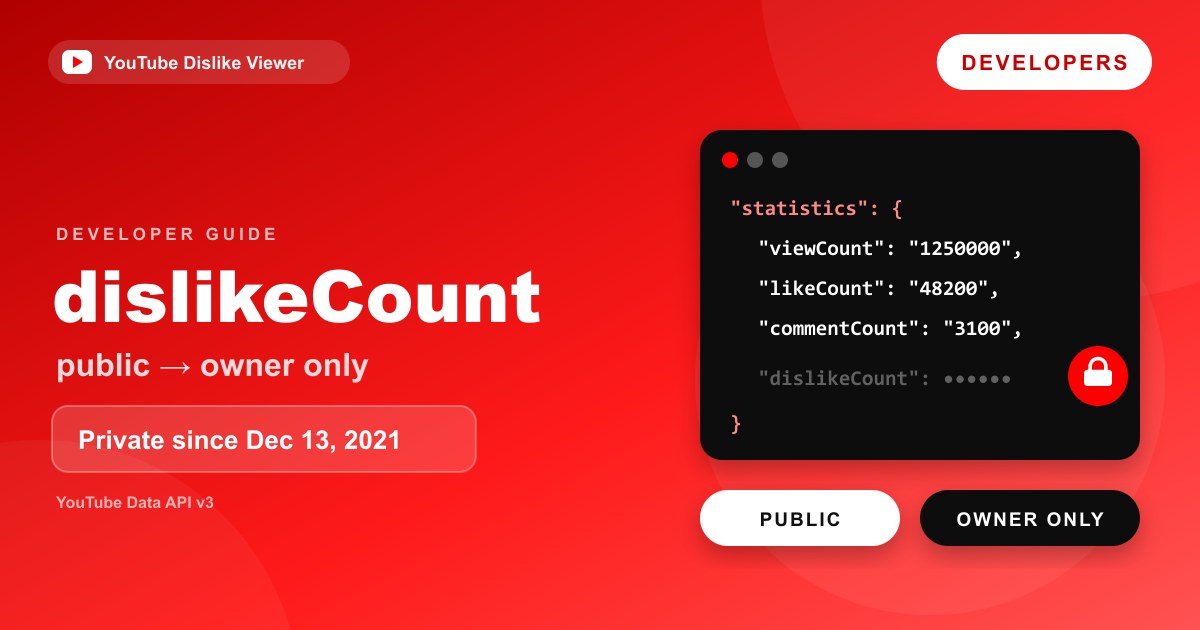
The YouTube Data API still has a dislikeCount field, but it has been private since December 13, 2021. Google’s documentation says the property “is included in an API response only if the API request was authenticated by the video owner.” A normal request made with an API key returns a video’s views, likes and comment count, but no dislikes. If you own the channel, you can also get aggregate dislikes through the YouTube Analytics API.
That’s why no public website or app can simply ask YouTube for a video’s real dislike count. This guide explains what the official APIs return today, shows valid requests for each case, and draws the line between Google’s data and the third-party estimates that dislike viewers use.
What the documentation says today
The videos resource page, last updated on September 4, 2026, lists five fields in the statistics part:
| Field | What it holds | Who can get it |
|---|---|---|
viewCount | The number of times the video has been viewed | Anyone with an API key |
likeCount | ”The number of users who have indicated that they liked the video” | Anyone with an API key |
dislikeCount | ”The number of users who have indicated that they disliked the video” | Only the video’s owner, via an authenticated request |
favoriteCount | Deprecated since August 28, 2015; always 0 | Anyone, but meaningless |
commentCount | ”The number of comments for the video” | Anyone with an API key |
The note on dislikeCount reads: “The statistics.dislikeCount property was made private as of December 13, 2021. This means that the property is included in an API response only if the API request was authenticated by the video owner.”
There’s also a 2026 change on viewCount worth knowing. The same page says that starting August 24, 2026, for long-form videos, live streams and Shorts, viewCount counts a view “the moment a video begins to play,” including autoplay and hover-to-play. If you’re comparing view counts over time, that change will show up in your data.
A public request: no dislikes in the response
Here’s a standard videos.list request using an API key. Replace VIDEO_ID and YOUR_API_KEY, and never publish a real key in client-side code or a public repository.
curl "https://www.googleapis.com/youtube/v3/videos?part=statistics&id=VIDEO_ID&key=YOUR_API_KEY"The response follows the documented structure below. The numbers here are illustrative, not from a real video.
{
  "kind": "youtube#videoListResponse",
  "etag": "ETAG_VALUE",
  "items": [
    {
      "kind": "youtube#video",
      "etag": "ETAG_VALUE",
      "id": "VIDEO_ID",
      "statistics": {
        "viewCount": "1250000",
        "likeCount": "48200",
        "favoriteCount": "0",
        "commentCount": "3100"
      }
    }
  ],
  "pageInfo": {
    "totalResults": 1,
    "resultsPerPage": 1
  }
}
Notice two things. The counts are strings, not numbers, which Google corrected in its documentation in 2022. And dislikeCount is simply absent. It isn’t returned as 0 or null; the key doesn’t appear. Your code should treat a missing field as “not available,” never as zero dislikes.
An owner-authenticated request
If the signed-in user owns the video, the same request made with an OAuth 2.0 access token includes the dislike count.
curl -H "Authorization: Bearer ACCESS_TOKEN" \
  "https://www.googleapis.com/youtube/v3/videos?part=statistics&id=VIDEO_ID"
For a video that belongs to the authorized channel, statistics then contains a dislikeCount string alongside the other fields. For a video the user doesn’t own, it doesn’t, even though the request is authenticated.
The access token has to come from the channel owner through Google’s OAuth consent flow, with a YouTube scope such as https://www.googleapis.com/auth/youtube.readonly. That’s the whole reason third-party sites can’t use this route for other people’s videos. They’d need each creator to sign in and grant access.
Handling the field safely in code
Here’s a small JavaScript function that reads video statistics and handles the optional fields correctly. It runs in Node.js 18 or later, or any environment with fetch.
async function getVideoStats(videoId, apiKey) {
  const url = new URL("https://www.googleapis.com/youtube/v3/videos");
  url.search = new URLSearchParams({
    part: "statistics",
    id: videoId,
    key: apiKey,
  }).toString();

  const res = await fetch(url);
  if (!res.ok) {
    throw new Error(`YouTube Data API error: ${res.status}`);
  }

  const data = await res.json();
  const stats = data.items?.[0]?.statistics;
  if (!stats) return null; // no such video, or not publicly available

  const toNumber = (value) => (value === undefined ? null : Number(value));

  return {
    views: toNumber(stats.viewCount),
    likes: toNumber(stats.likeCount),
    comments: toNumber(stats.commentCount),
    // Only present when the request was authenticated by the video's owner.
    dislikes: toNumber(stats.dislikeCount),
  };
}
With an API key, dislikes will always come back as null. Keep the API key on a server rather than shipping it to browsers, and restrict it in the Google Cloud console.
What developers can still access
The dislike total is locked down, but the APIs still offer several dislike-related features. They’re all tied to the signed-in user or the channel owner.
| What you want | Official method | Who can use it | Quota cost |
|---|---|---|---|
| Views, likes, comment count | videos.list with part=statistics | Anyone with an API key | 1 unit |
| A video’s dislike total | videos.list, owner-authenticated | The video’s owner | 1 unit |
| The signed-in user’s own rating on a video | videos.getRating | The signed-in user | 1 unit |
| Set or remove the signed-in user’s rating | videos.rate with like, dislike or none | The signed-in user | 50 units |
| Videos the signed-in user disliked | videos.list with myRating=dislike | The signed-in user | 1 unit |
| Daily likes and dislikes for your own videos | YouTube Analytics API reports.query | The channel owner | Separate API |
| A comment’s like count | comments resource, likeCount | Anyone with an API key | 1 unit per list call |
A few of these deserve a closer look.
videos.getRating returns the rating the signed-in user gave a video. The documented values are like, dislike, none and unspecified. Since September 1, 2026, Google’s revision history says this method also accepts the read-only youtube.readonly scope.
videos.rate lets an app record a like, a dislike or none (which “removes any rating that the authenticated user had previously set”). Its documentation adds a note that’s easy to miss: “This does not affect the official like/dislike count of the video.” Don’t design anything that expects API ratings to move the public totals.
myRating=dislike on videos.list returns “only videos disliked by the authenticated user.” It’s the only official way to list the videos an account has disliked, since YouTube’s apps offer a Liked videos playlist but no disliked list.
Comments expose likeCount only. The comment resource’s viewerRating field “doesn’t identify dislike ratings” and returns none even when the user disliked a comment.
The default quota for a project is 10,000 units per day across most endpoints, according to Google’s getting-started guide, so videos.rate at 50 units a call is the one to budget for.
Reading the signed-in user’s own rating
If your app lets people manage their own likes and dislikes, videos.getRating tells you where they stand on specific videos. It needs an OAuth access token from that user.
curl -H "Authorization: Bearer ACCESS_TOKEN" \
  "https://www.googleapis.com/youtube/v3/videos/getRating?id=VIDEO_ID_1,VIDEO_ID_2"
The documented response lists one entry per video:
{
  "kind": "youtube#videoGetRatingResponse",
  "etag": "ETAG_VALUE",
  "items": [
    { "videoId": "VIDEO_ID_1", "rating": "dislike" },
    { "videoId": "VIDEO_ID_2", "rating": "none" }
  ]
}
This is the user’s own rating only. There’s no parameter that returns other users’ ratings, which is the same privacy line YouTube draws everywhere else.
Batching and quota
Both videos.list and videos.getRating accept a comma-separated list of video IDs in the id parameter, and Google charges quota per call rather than per video. Fetching statistics for a batch of videos in one videos.list call costs 1 unit, the same as fetching one.
When you page through myRating=dislike results instead of passing IDs, maxResults accepts values from 1 to 50, with a default of 5. Google’s documentation notes that maxResults isn’t supported together with the id parameter.
Common mistakes with dislike data
Each of these is easy to get wrong, and each one leads to misleading numbers.
Treating a missing dislikeCount as zero. A public response without the field doesn’t mean the video has no dislikes. Store it as unknown and label it that way in your interface.
Assuming any OAuth token reveals dislikes. Only the video owner’s authorization does. A user signed into your app can’t see dislikes on someone else’s video through the API.
Expecting videos.rate to change public totals. Google says it “does not affect the official like/dislike count of the video.” Use it to record a user’s own rating, not to test counters.
Shipping an API key in front-end code. Anyone can copy a key from a web page’s source. Call the API from your server, restrict the key, and monitor its usage.
Mixing official and estimated numbers without labels. If your product shows owner-only data for some videos and third-party estimates for others, make the difference obvious. Viewers can’t tell them apart otherwise.
Forgetting the 2026 view-count change. Because viewCount now counts from the first frame for all formats, ratios such as likes per view can shift for videos measured before and after August 24, 2026.
Getting dislikes from the YouTube Analytics API
For your own channel, the YouTube Analytics API has likes and dislikes metrics. Google’s metrics reference defines dislikes as “the number of times that users indicated that they disliked a video by giving it a negative rating.”
This request returns daily likes and dislikes for one of your videos over August 2026. It needs an access token with the https://www.googleapis.com/auth/yt-analytics.readonly scope from the channel owner.
curl -H "Authorization: Bearer ACCESS_TOKEN" \
  "https://youtubeanalytics.googleapis.com/v2/reports?ids=channel==MINE&startDate=2026-08-01&endDate=2026-08-31&metrics=likes,dislikes&dimensions=day&filters=video==VIDEO_ID"
To compare videos instead, use the Top videos report with dimensions=video. Google’s channel reports documentation says that report requires a sort value, such as -views, and a maxResults of 200 or less, for example &dimensions=video&metrics=views,likes,dislikes&sort=-views&maxResults=25.
The Analytics API is the programmatic side of what creators see in Studio’s Likes (vs. dislikes) report, which is covered in YouTube Studio likes vs dislikes.
If you only need your own numbers
Many people searching for the dislike API are creators who just want their own figures. You don’t need to write any code for that. YouTube Studio shows the same owner-only data in its Likes (vs. dislikes) report, and Advanced Mode lets you compare videos, change date ranges and export the table as a file. Reach for the APIs when you need to automate that export, combine it with other data, or build a tool for other creators who sign in with their own accounts.
The 2021 change in brief
YouTube announced on November 10, 2021 that it would make dislike counts private across the platform, saying its experiments showed hiding the count reduced “dislike attacking behavior,” especially against smaller channels. The dislike button stayed, and creators kept their exact counts in Studio.
The API followed. Google’s Data API revision history noted on November 18, 2021 that dislikeCount would become private on December 13, 2021, returned only to owner-authenticated videos.list requests. A December 15, 2021 entry confirmed that the property “is now private.” Nothing in the revision history since then has restored public access.
Why dislike viewers can’t use the official count
Put the pieces together and the reason is simple. The official count only comes back to the video’s owner, and a public tool isn’t the owner of the videos people look up. Without every creator’s OAuth consent, there’s no official route to their dislike totals.
That’s why public dislike viewers rely on other data. Most, including our YouTube Dislike Viewer, use the Return YouTube Dislike project’s public API. That dataset combines counts archived before the December 2021 change with estimates for newer videos based on votes from extension users. How that archive and its estimates work is explained in what Return YouTube Dislike is and how it works, and the limits are covered in its accuracy section. The RYD API is a community service, not a Google API, and it sets its own usage rules.
Official API vs third-party data
| Official YouTube APIs | Third-party dislike data (such as RYD) | |
|---|---|---|
| Dislike total for any public video | No | Yes, as an estimate |
| Exact dislike total | Yes, for the owner’s own videos | No |
| Needs creator’s permission | Yes, for dislikes | No |
| Pre-December 2021 videos | Owner-only, like any other video | Archived historical counts |
| Newer videos | Owner-only | Estimated from extension users’ votes |
| Shorts after June 2026 | No official public dislikes | The tool’s own estimate |
| Run by | Independent community projects |
The two aren’t substitutes. If you’re building for creators who will sign in, use the official APIs and get exact numbers. If you’re building for viewers looking at any video, you’re choosing an estimate, and you should label it as one.
Shorts and the API in 2026
YouTube retired the dislike button on Shorts in June 2026 and told creators that the Shorts dislike count in YouTube Studio would stop updating by the end of that month. As of September 11, 2026, the Data API documentation doesn’t include a Shorts-specific note on dislikeCount, and the Analytics API revision history doesn’t mention one either.
We couldn’t verify how owner-authenticated dislikeCount values behave for Shorts after the change, so don’t assume they keep growing. Given what YouTube said about Studio, expect Shorts dislike figures to stay flat from July 2026 onward and plan any Shorts reporting around likes and views instead.
Frequently asked questions
Can I get the dislike count from the YouTube API?
Only for videos you own. The dislikeCount field in videos.list is returned only when the request is authenticated by the video’s owner. Requests made with an API key return views, likes and comments without dislikes.
Does dislikeCount work if I use OAuth?
Only for videos owned by the account you authorized. Authenticating as a different user doesn’t expose dislike counts on other channels’ videos, because the field is limited to the video owner.
Does videos.rate change a video’s dislike count?
Google’s documentation says calling videos.rate “does not affect the official like/dislike count of the video.” It records the signed-in user’s rating for that user, at a quota cost of 50 units per call.
How do third-party tools show dislikes if the API hides them?
They use non-Google data, mainly the Return YouTube Dislike dataset, which blends counts archived before December 2021 with estimates from extension users’ votes. Those figures are estimates, not YouTube’s official count.
Is there an official API to see who disliked a video?
No. The official APIs provide totals to owners and each user’s own rating to that user. None of them lists the accounts that disliked a video. More on that in can YouTubers see who disliked their video.
Checked against the YouTube Data API reference, the YouTube Analytics API reference and both revision histories on September 11, 2026. Example values are illustrative; field names and endpoints are taken from Google’s documentation.