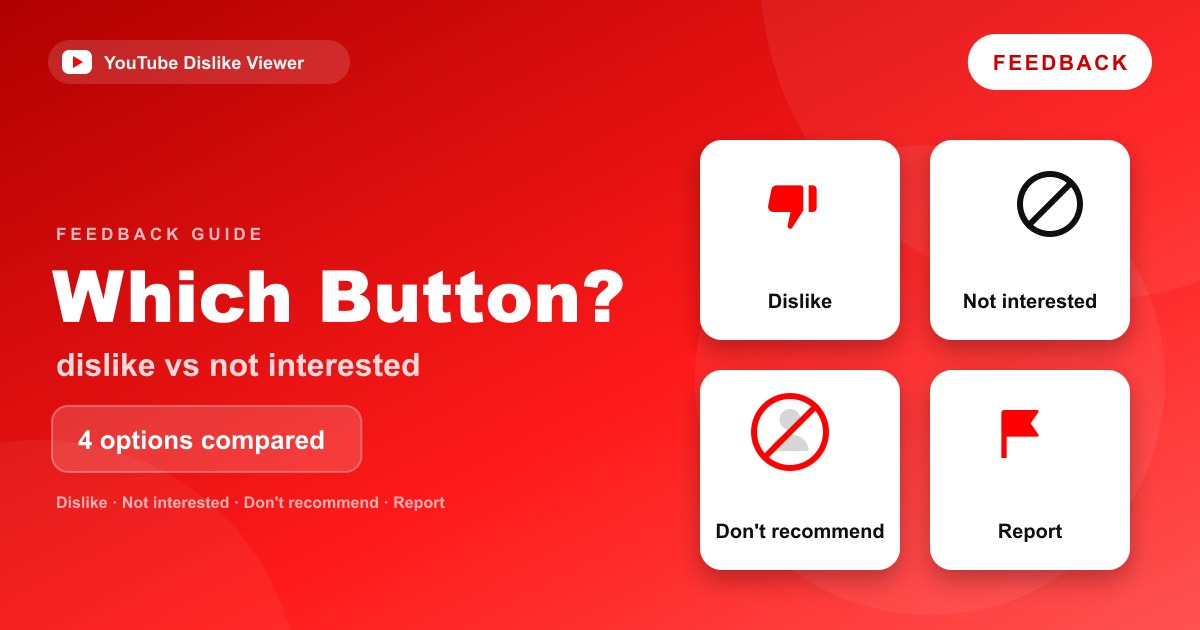
Dislike, Not interested, Don’t recommend channel and Report each do a different job. Dislike is a negative rating on one long-form video or live stream. Not interested removes a recommendation from your feed and tells YouTube to show less like it. Don’t recommend channel asks YouTube to stop recommending an entire channel to you. Report flags content you think breaks YouTube’s rules so it can be reviewed.
If you just want less of something in your feed, Not interested or Don’t recommend channel is usually the better tool. Dislike is for rating a specific video, and Report is only for suspected violations. The rest of this guide shows where each option lives, what YouTube says it does, how to undo it, and which one fits common situations.
The four options compared
This table summarizes each option using YouTube’s Help Center as of September 2026.
| Action | Applies To | Main Purpose | Changes Recommendations? | Reversible? |
|---|---|---|---|---|
| Dislike | Long-form videos and live streams (retired on Shorts in June 2026) | A negative rating on that video, counted privately for the creator | Yes. YouTube says it uses dislikes “to inform what to avoid recommending” | Yes. Select the thumbs-down again to remove it |
| Not interested | Recommended videos, Shorts, playlists, posts and Home sections | Remove an item from your recommendations, with an optional reason | Yes. It “helps to inform what to avoid recommending in the future” | Yes. Clear it in My Activity (this clears all your Not interested and Don’t recommend feedback together) |
| Don’t recommend channel | A channel, chosen from one of its videos, Shorts or posts | Stop recommending that channel to you | Yes. YouTube treats it as a signal that the channel “likely isn’t something you enjoyed watching” | Yes. Cleared in My Activity along with Not interested feedback |
| Report | Videos, Shorts, channels, comments and other content | Flag possible Community Guidelines violations for review | Not a recommendation tool. It sends the content to YouTube for review | No documented way to withdraw a report. You can check its status in Report history |
Two details in that table trip people up. First, there’s no dislike button on Shorts anymore, so on Shorts the choice is between Not interested, Don’t recommend this channel and Report. Second, clearing Not interested feedback in My Activity is an all-at-once action, not a one-video undo.
Dislike: a rating on one video
The thumbs-down under a long-form video or live stream is a rating. YouTube’s Like or dislike a video page says: “To dislike a long-form video or livestream, use thumbs down.” You need to be signed in, and the dislike is counted privately in the creator’s analytics.
YouTube uses dislikes for two things. They inform your recommendations, since YouTube says its system “uses videos you dislike to inform what to avoid recommending in the future.” They also add to the creator’s private dislike total in YouTube Studio. When YouTube hid public dislike counts in 2021, it described dislikes as a way to “tune their recommendations and privately share feedback with creators.”
What a dislike doesn’t do is tell YouTube why. That vagueness is exactly the reason YouTube gave for retiring the dislike on Shorts, where it said a dislike “could mean anything from ‘poor audio quality’ to simply ‘not my cup of tea.’”
Not interested: remove one recommendation
Not interested is about your feed, not about the video’s quality. You’ll find it in the three-dot More menu next to recommended videos, Shorts, playlists, posts and some sections on Home.
YouTube’s recommendations Help page walks through it:
- Click or tap More (the three dots) next to the video’s title.
- Choose Not interested.
- For a video, choose Tell us why to add a reason. The options YouTube lists are “I’ve already watched the video” and “I don’t like the video.”
On Shorts, the June 2026 update added a similar step: after choosing Not interested, you can share specific reasons why that Short wasn’t right for you. On smart TVs and consoles, the Tell us why list also includes Don’t recommend channel.
Not interested doesn’t rate the video, doesn’t count against the creator in their dislike total, and doesn’t block the channel. It’s the lightest-touch way to say “not for me.”
Don’t recommend channel: drop a whole channel
When the problem isn’t one video but everything a channel makes, use Don’t recommend channel. YouTube’s instructions:
- On Home or the Watch Next list, find a video, Short or post from the channel.
- Click or tap More next to the title.
- Choose Don’t recommend channel (or Don’t recommend posts from channel for posts).
On Shorts, TeamYouTube says the option sits “behind the three-dot menu” as Don’t recommend this channel. YouTube’s description of it is careful: it’s a signal “that the channel content likely isn’t something you enjoyed watching.” That’s a recommendations setting. YouTube doesn’t describe it as a block, and it doesn’t claim to hide the channel from search or from its own channel page.
Report: for rule-breaking content only
Report is a different kind of tool. It isn’t about taste. YouTube’s reporting Help page explains how it works:
- Reporting is anonymous, so “other users can’t tell who made the report.”
- Reported content “is not automatically taken down.” YouTube reviews it against its Community Guidelines.
- If reviewers don’t find a violation, “no amount of reporting will change that.”
- You can check what happened to your reports in your Report history.
Use Report for scams, harassment, dangerous content and other suspected violations. Use the other three options for content that’s allowed but that you don’t want.
Where to find each option
The options sit in different places depending on whether you’re looking at a recommendation, the video you’re watching, a Short, or a TV screen. This table follows YouTube’s Help Center instructions.
| Where you are | Dislike | Not interested | Don’t recommend channel | Report |
|---|---|---|---|---|
| A recommendation on Home or in Watch Next (computer or app) | Open the video to rate it | More (three dots) next to the title | More next to the title | Open the video to report it |
| The video you’re watching (computer or app) | Thumbs-down under the video | Use it on recommendations | Use it on recommendations | More under the video, then Report |
| A Short in the Shorts player | Retired since June 2026 | Three-dot menu, with a reason prompt | Three-dot menu | Three-dot menu |
| Smart TV, streaming device or console | Varies by TV app | Press and hold the select button on a recommendation | Offered under Tell us why | Varies by TV app |
The pattern to remember: feedback about your feed (Not interested, Don’t recommend channel) is documented on recommendations, while rating a video (Dislike) happens on the video itself. If you’re already watching something you don’t want more of, dislike it there, or use Not interested on similar videos when they turn up in your recommendations.
Which option should you choose?
Most people pick the wrong button because they’re thinking about how they feel rather than what they want to happen. Start from the outcome.
| What you want | Use this |
|---|---|
| Tell YouTube this particular video was bad or unhelpful | Dislike (long-form or live only) |
| Stop seeing a video you’ve already watched | Not interested, with “I’ve already watched the video” |
| See less of a topic that keeps showing up | Not interested on several of those videos |
| Never see a certain channel in your recommendations | Don’t recommend channel |
| Get fewer Shorts on your Home feed | Show fewer Shorts from the Shorts grid menu |
| Flag a scam, harassment or dangerous content | Report |
| Stop one video you watched by accident from shaping your feed | Remove it from your watch history |
The last row is often overlooked. YouTube’s recommendations page says you “can remove specific videos from your watch history,” and your watch history is one of the main inputs for Home recommendations. If a single accidental watch is causing a run of unwanted suggestions, removing it can help more than a dislike.
How strong is each signal?
YouTube doesn’t publish how much weight each type of feedback carries, and anyone claiming exact numbers is guessing. What YouTube does say is that its system uses dislikes, Not interested and Don’t recommend channel selections as signals, alongside watch history, search history, subscriptions, likes and satisfaction surveys. It also says different features lean on different signals, with Home relying primarily on watch history.
There’s one piece of independent research worth knowing about. In September 2022, the Mozilla Foundation published a study of YouTube’s feedback buttons, reported by TechCrunch. In its data, Don’t recommend channel prevented 43% of unwanted recommendations and removing a video from watch history prevented 29%, compared with about 11% for Not interested and 12% for dislike. That study is from 2022, measured YouTube’s system as it was then, and predates the Shorts changes. Still, it matches YouTube’s own framing: channel-level feedback is the stronger tool when a whole channel is the problem.
If you’re curious about the separate question of whether dislikes hurt a creator’s reach, the short answer on our homepage is in the FAQ on dislikes and the algorithm. This guide sticks to which button you should press.
The Shorts difference
On Shorts, the choice changed in June 2026. YouTube retired the Shorts dislike button and replaced the thumbs-up with a heart, leaving Not interested, Don’t recommend this channel and Report in the three-dot menu. TeamYouTube said the dislike “overlapped with tools like ‘Not interested’ and ‘Don’t recommend this channel.’”
In practice, that means Not interested (with a reason) is now the Shorts equivalent of “I didn’t like this one,” and Don’t recommend this channel covers “stop showing me this creator.” The full story of that change is in YouTube Shorts dislike button removed in 2026.
How to undo each option
Everything except a report can be reversed, but not all in the same way.
Dislike. Go back to the video and select the thumbs-down again. YouTube’s Help Center says “To undo your choice, simply select the icon again.” The step-by-step for every device is in how to undo a dislike on YouTube.
Not interested and Don’t recommend channel. YouTube’s instructions are to go to My Activity, find Other Google activity, select YouTube ‘Not interested’ feedback, then select Delete. That removes this feedback in bulk, so it resets every Not interested and Don’t recommend channel choice at once.
Show fewer Shorts. Also cleared in My Activity, under Other activity, by deleting the “Show fewer Shorts” entry.
Watch history removals. These can’t be “undone” as such, but watching the video again adds it back.
Report. There’s no documented way to take back a report. If the content doesn’t break the rules, YouTube’s review will leave it up.
Common misconceptions
“Not interested is the same as a dislike.” It isn’t. A dislike rates the video and adds to the creator’s private total. Not interested only tunes your recommendations.
“Don’t recommend channel blocks the channel.” YouTube describes it as a recommendations signal. It isn’t presented as a block or an unsubscribe.
“If enough people report a video, it gets removed.” YouTube says the opposite: if reviewers find no violation, no amount of reporting changes that.
“Disliking tells the creator who you are.” Dislikes are counted, not attributed. The creator sees a total. More on that in can YouTubers see who disliked their video.
“One Not interested fixes my feed.” YouTube combines many signals. If a topic keeps coming back, repeat the feedback on several videos, or use Don’t recommend channel when it’s one channel driving it.
Frequently asked questions
Is Not interested the same as dislike on YouTube?
No. Dislike is a rating on a long-form video or live stream that counts toward the creator’s private dislike total. Not interested removes a recommendation from your feed and helps YouTube avoid similar content, without rating the video.
Does Don’t recommend channel block a channel?
YouTube describes it as a signal for your recommendations, not as a block. It asks YouTube to stop recommending that channel to you, but it isn’t documented as hiding the channel from search or from its channel page.
Can I undo Don’t recommend channel?
Yes. Go to My Activity, open Other Google activity, select YouTube ‘Not interested’ feedback and choose Delete. This clears all of your Not interested and Don’t recommend channel feedback at the same time.
Does disliking a video stop YouTube recommending that channel?
Not directly. YouTube says it uses dislikes to avoid recommending similar videos, but a dislike is about one video. If you want the whole channel gone from your recommendations, use Don’t recommend channel.
Should I report or dislike a misleading video?
If the video only disappointed you, dislike it or choose Not interested. If you think it breaks YouTube’s Community Guidelines, such as a scam or dangerous misinformation, report it so YouTube can review it.
Checked against YouTube Help, the YouTube Blog and the TeamYouTube Shorts announcement on September 11, 2026. YouTube doesn’t publish how much weight each feedback signal carries.