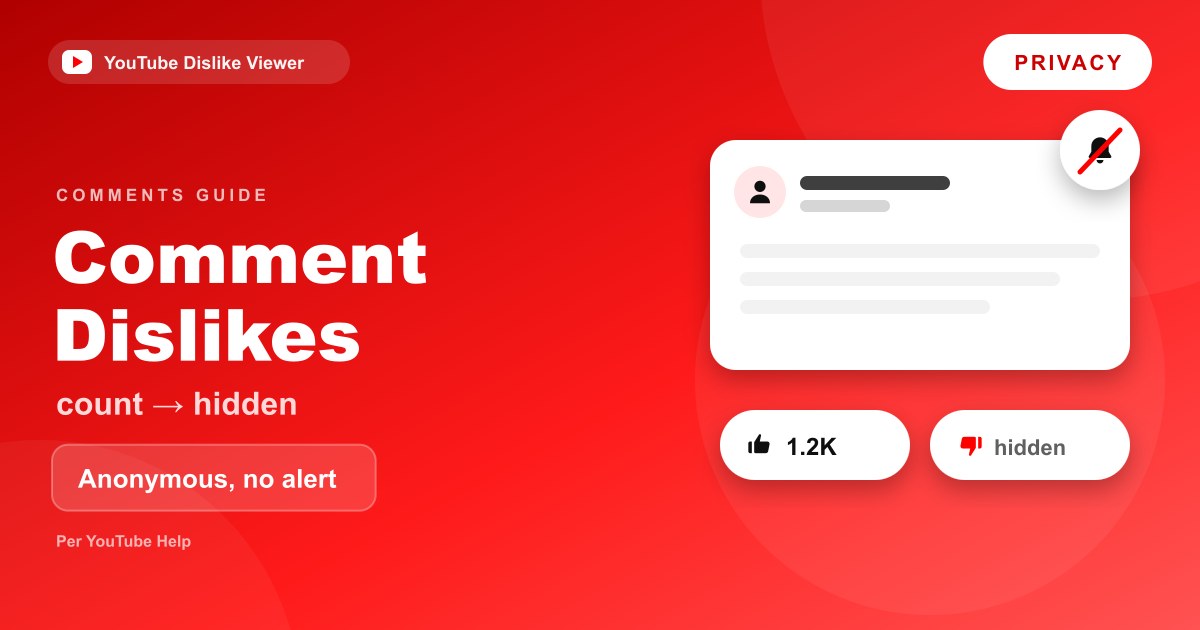
A dislike on a YouTube comment is a private thumbs-down. There’s no public dislike count on comments, only a like count, and YouTube says viewers “don’t get a notification when you dislike their comment.” YouTube’s Help Center also states that “likes and dislikes are anonymous,” so the commenter never learns who reacted. YouTube hasn’t said that comment dislikes change how comments are ranked, so any claim that a few dislikes will bury a comment is unconfirmed.
That’s the short version. Below is what the comment dislike button actually does, what the commenter and the creator can see, how comment dislikes differ from video dislikes, and when a different action makes more sense.
What the comment dislike button does
Every comment under a YouTube video has a thumbs-up and a thumbs-down. YouTube’s Post & interact with comments page describes it in one line: “Go to a comment, then use the Like or Dislike icon.”
Pressing the thumbs-down records a negative rating on that comment from your account. The icon fills in so you can see you’ve rated it, and you can press it again to remove the rating. Nothing is posted, nothing appears under your name, and the comment itself doesn’t change.
YouTube’s Help Center mentions the same buttons in a few places:
- Comments under videos, songs and podcasts, on YouTube and in the YouTube Music app
- Comments on channel posts, where YouTube mentions the heart “next to the thumbs up and thumbs down icons”
- Comments on smart TVs and game consoles, where YouTube says you can “like, or dislike the comment”
Comment reactions are separate from video reactions. The June 2026 removal of the dislike button on Shorts was about rating the Short itself, and YouTube’s announcement didn’t mention comment reactions.
Can anyone see how many dislikes a comment has?
No. YouTube shows a like count next to comments but no dislike count. That’s true for everyone, including the person who wrote the comment.
YouTube’s developer documentation confirms this isn’t just a design choice in the app. The Data API’s comment resource has a likeCount field, described as “the total number of likes (positive ratings) the comment has received.” There’s no matching dislike count. Even the field that reports your own rating on a comment, viewerRating, “doesn’t identify dislike ratings.” It returns none when you’ve disliked a comment, the same value it returns when you haven’t rated it at all.
In other words, YouTube keeps comment dislikes out of the numbers it shares, both in the interface and through its API.
Does the commenter get notified?
No. This is spelled out in YouTube’s Review & reply to comments Help page, in an FAQ about what viewers are told:
Likes and dislikes are anonymous. If you like a comment, the commenter may get a notification that says, “Someone liked your comment.” Viewers don’t get a notification when you dislike their comment.
The same answer explains what does trigger a notification. If a creator hearts, pins or replies to a comment, the commenter may be notified, depending on their notification settings. Hearts are the most visible of these: the commenter sees the creator’s avatar with a small red heart on their comment, and may get a notification that the channel owner “loves your comment.”
So the full picture looks like this:
| Action on a comment | Commenter notified? | Does it name who did it? |
|---|---|---|
| Like | May be notified | No, “Someone liked your comment” |
| Dislike | No | No |
| Reply | May be notified | Yes, replies are public |
| Heart from the creator | May be notified | Yes, it’s the channel owner |
| Pin by the creator | May be notified | Yes, it’s the channel owner |
Are comment dislikes anonymous?
Yes, from the commenter’s point of view and from other viewers’ point of view. YouTube’s wording is direct: “Likes and dislikes are anonymous.”
As with video dislikes, anonymous doesn’t mean invisible to YouTube. The rating is attached to your signed-in account, which is how the thumbs-down stays filled in when you come back to the comment later. It just isn’t shown to other people.
If you’re wondering about the same question for videos rather than comments, it’s covered in can YouTubers see who disliked their video. The answer is similar, but video dislikes do add to a total the creator can see, while comment dislikes don’t feed any documented count at all.
What creators and moderators can see
Creators manage comments in YouTube Studio, where YouTube lists the actions available on each comment: reply, heart, like, dislike and pin. Creators can dislike comments on their own videos, just like viewers can.
What YouTube doesn’t document is any report or view that shows a creator the dislike count on a comment, or who disliked it. The comment tools in Studio are built around the comments themselves: badges for top commenters and members, AI comment summaries, and moderation settings such as blocked words and hidden users. None of them are described as exposing comment dislikes.
That also means creators can’t use comment dislikes to spot problem commenters. If a comment is abusive or spam, the useful tools are moderation and reporting, not the thumbs-down.
Do comment dislikes affect how comments are ranked?
YouTube hasn’t said they do. Its comments Help page explains that the Top comments view “shows what viewers are likely to value and interact with based on various signals, such as the comment text, handle text, channel name text, avatar, viewer, and video.” Dislikes aren’t named in that list.
The same page adds that Top comments may not show content YouTube “detects viewers are not likely to value or interact with,” including comments detected as potentially inappropriate, spam or impersonation. So a comment can drop out of Top comments, but YouTube attributes that to its detection systems and moderation settings, not to a dislike count.
It’s possible that dislikes are one of the unnamed signals. YouTube hasn’t confirmed or ruled that out, so the honest answer is that nobody outside YouTube knows how much, if at all, they matter. If you can’t find a comment, switch the sort order to Newest first, which lists comments chronologically instead of by YouTube’s ranking.
Comment dislikes vs video dislikes
The two thumbs-down buttons look the same but behave differently.
| Video dislike | Comment dislike | |
|---|---|---|
| Where it’s available | Long-form videos and live streams. Retired on Shorts in June 2026 | Comments on videos, posts and TV apps |
| Public count | Hidden since November 2021 | Never shown |
| Who sees a total | The creator, in YouTube Studio | No documented total for anyone |
| Commenter or creator notified | No | No |
| Anonymous to other people | Yes | Yes |
| Documented effect on your recommendations | Yes, YouTube uses it to avoid similar videos | Not documented |
| Documented effect on ranking | Not a ranking tool for the video | Not named among Top comments signals |
The biggest practical difference is the creator’s total. A video dislike is private feedback that the creator can see in aggregate. A comment dislike doesn’t reach anyone in any documented form.
When to use a comment dislike, and when not to
Because a comment dislike is silent and uncounted in public, its main value is personal. It marks your disagreement for yourself, and it’s the lightest possible reaction.
For anything more serious, other actions work better:
- Spam, scams or abuse: report the comment. YouTube’s Help Center suggests reporting inappropriate comments “as spam or abuse.”
- Harassment aimed at you: report it, and if it’s your channel, use comment moderation tools such as hiding the user.
- Wrong information you want others to notice: reply with a correction. A reply is visible, a dislike isn’t.
- Comments cluttering your own channel: as a creator, use held-for-review settings and blocked words rather than disliking comments one by one.
The same split applies to videos: a dislike is for “I didn’t like this,” and Report is for suspected rule-breaking. That distinction, along with Not interested and Don’t recommend channel, is laid out in Dislike vs Not Interested vs Don’t Recommend Channel.
What a comment’s visible numbers can tell you
Because YouTube only shows likes, the numbers on a comment are one-sided. A comment with two likes might have been ignored, or it might have been disliked by dozens of people. From the outside, there’s no way to tell which.
Here’s what you can reasonably read from what YouTube does show:
- A high like count means many people agreed enough to press like. It’s the only public approval signal on a comment.
- A low like count tells you very little. Most viewers never rate comments at all.
- A long reply thread is often the clearest public sign of disagreement, because replies are visible and people push back in them.
- A heart or a “Pinned by” label means the creator chose to highlight the comment. YouTube shows the creator’s avatar with a small red heart on hearted comments.
- A comment missing from Top comments may have been filtered by YouTube’s detection systems or the channel’s moderation settings. Check Newest first before assuming anything else.
If you’re trying to judge whether people agree with a comment, including your own, read the replies. The thumbs-down count simply isn’t available to anyone.
Comments in YouTube Music and on TV
Comment reactions work beyond the main YouTube site. YouTube’s Help Center says you can “like, dislike, or reply to other people’s comments on a video, song, or podcast in YouTube and the YouTube Music app.” The same privacy rules apply there, since it’s the same comment system.
On smart TVs and game consoles, YouTube shows comments in a panel that lists pinned comments, the liked count and the reply count. You can like or dislike a comment from your TV, but to write a reply you pair your phone and type it there. Again, only the liked count is shown.
Managing your own comment reactions
To remove a dislike you left on a comment, go back to the comment and press the thumbs-down again so it’s no longer highlighted. That’s the same toggle YouTube uses for video ratings.
YouTube’s Help Center also points to your Comment History, where you can see public comments you’ve left across YouTube and jump back to the video they’re on. That makes it easier to find a thread again if you want to change a reaction or edit your own comment.
Frequently asked questions
Can you see who disliked your comment on YouTube?
No. YouTube says likes and dislikes on comments are anonymous. You won’t see who disliked your comment, and you won’t be notified that it happened.
Can you see how many dislikes a comment has?
No. YouTube shows only a like count on comments. The YouTube Data API doesn’t include a comment dislike count either, and its rating field doesn’t even report dislikes for the signed-in user.
Does YouTube notify you when someone dislikes your comment?
No. YouTube’s Help Center states that viewers don’t get a notification when someone dislikes their comment. A like may trigger a “Someone liked your comment” notification, without a name.
Do dislikes hide YouTube comments?
YouTube hasn’t said so. Its description of Top comments lists signals like the comment text, channel name, avatar, viewer and video, and mentions spam and inappropriate-content detection. It doesn’t name dislikes. Sort by Newest first to see comments in order.
Is a comment dislike the same as disliking the video?
No. A video dislike rates the video, adds to the creator’s private dislike total and helps shape your recommendations. A comment dislike rates only that comment and isn’t shown as a count to anyone.
Checked against YouTube Help and the YouTube Data API documentation on September 11, 2026. For video dislike counts on public videos, the YouTube Dislike Viewer shows estimates; it doesn’t show comment dislikes, which YouTube doesn’t publish.