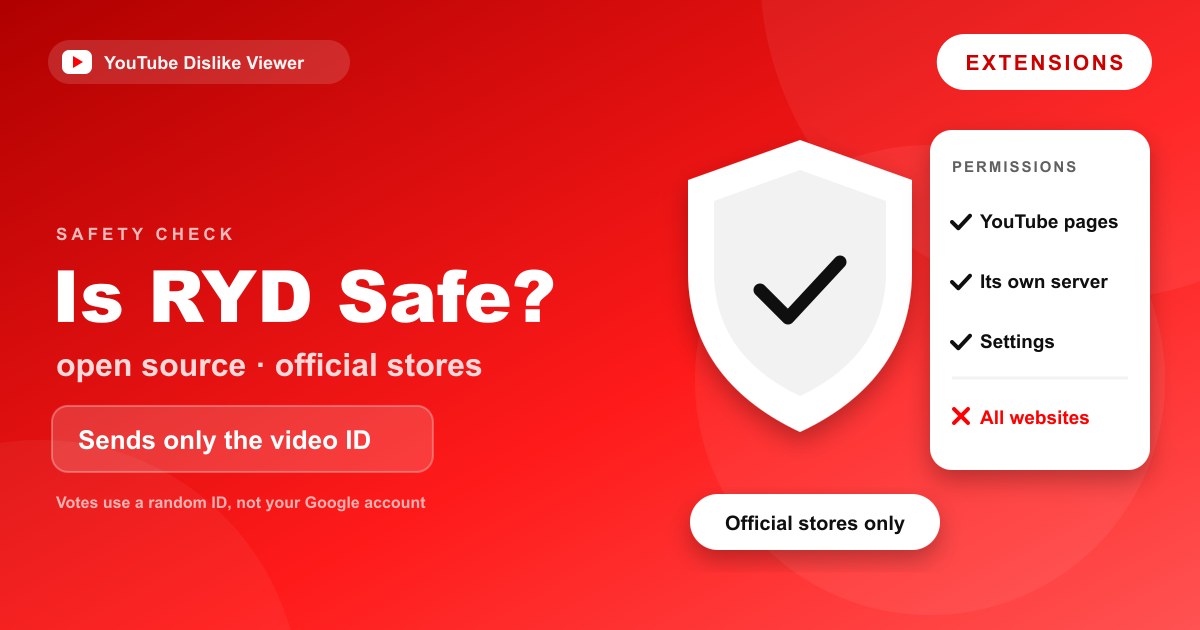
Return YouTube Dislike is safe to install for most people: it’s open source, it publishes a privacy policy, it’s distributed through the official Chrome and Firefox stores, and after millions of installs there are no credible reports of it being malicious. The caveats are simple: install only from the official store listing, and check the permissions yourself before you agree to them. If you’d rather skip the question of extensions entirely, you can check any video’s dislikes in your browser with nothing to install.
That’s the short answer. The rest of this guide explains what the extension actually accesses, what it sends and doesn’t send, how to tell the real one from a copycat, and how to review or remove it in Chrome and Firefox. No blanket “100% safe, zero risk” promises here, that’s not something anyone can honestly give for software they didn’t audit. What you’ll get is enough detail to decide for yourself.
Why “is it safe” is a fair question
Browser extensions sit in a powerful spot. Many can read the pages you visit, and some ask for far more access than they need. So treating any add-on with a little suspicion is the right instinct, not paranoia.
Return YouTube Dislike (RYD) earns trust in a few concrete ways rather than by asking you to take its word. It’s the reasoning below that matters, not the reassurance.
It’s open source
Anyone can read the extension’s code. The front-end that runs in your browser is published on GitHub, so security researchers, rival developers, and curious users have all had the chance to inspect what it does.
That’s a meaningful difference from a closed extension where you have to trust a company’s marketing. With RYD, the code that touches your browsing is out in the open, and a project with millions of users and no hidden malicious behavior would be a hard thing to keep quiet.
One honest note: the project’s back-end server code is not fully public. The maintainers have said the server side stays private for now. So “open source” describes the part running on your machine, which is the part that can read your browsing, not every line on their servers.
What it accesses and what it sends
Here’s the part that decides the privacy question. To show a dislike count, the extension needs to know which video you’re looking at, so it sends that video’s ID to its server and gets the count back.
According to the project’s own security documentation, the only data sent to fetch a count is that video ID. It doesn’t ask for your YouTube account, and it doesn’t need your Google login to display numbers.
When you cast a dislike vote through the extension, RYD records it against a randomly generated ID that isn’t linked to your Google account, a design meant to stop bots from flooding the counts. The project also states that IP addresses are held only briefly in memory to fight abuse, not written to disk as logs.
Put plainly, the extension does learn which YouTube videos you watch, because it has to ask about each one to show a count. If that bothers you, it’s a real consideration, and it’s the one thing a browser tool sidesteps, since you only look up the specific videos you choose to paste in.
The permissions it requests
When you install RYD, your browser shows a permission prompt. Read it. The extension needs permission to run on YouTube pages so it can insert the count, and it needs to talk to its own server to fetch numbers.
| Permission | Why the extension needs it | What to watch for |
|---|---|---|
| Access to youtube.com | To read the video page and insert the dislike count | Should be limited to YouTube, not “all sites” for no reason |
| Connect to its own API server | To request the dislike count for each video | Expected, this is how the number arrives |
| Storage | To remember your display settings | Harmless local settings |
If a listing that claims to be Return YouTube Dislike asks for something unrelated, reading data on every website, your browsing history across all sites, or account access it has no reason to need, that’s a red flag. The genuine extension keeps its requests narrow.
How to spot a fake or copycat
Popular extensions attract imitators, and a fake with a similar name and icon can carry real risk. A few checks tell the real one apart.
- Start from the official site. Go to the project’s own install page and follow its links to the stores, rather than searching the store and guessing which result is legitimate.
- Check the developer and the numbers. The genuine listing has millions of users and a long review history. A copy usually has a handful of installs and a recent publish date.
- Read the permissions before installing. A clone that wants far more access than the table above is one to avoid.
- Be wary of “downloads” from random sites. An extension offered as a file from a forum or a download portal, rather than from the Chrome Web Store or Firefox Add-ons, is exactly where trouble hides.
Sticking to the official store listings is the single most effective safety step you can take.
It’s worth being specific about the risk a fake carries. A malicious clone dressed up as this extension could ask to read every page you visit, which would let it capture what you type on other sites. That’s not what the real Return YouTube Dislike does, it’s the reason the permission check above matters. A genuine dislike extension has no need to touch your banking tab or your email, so a version that asks for that access has given itself away.
What millions of installs do and don’t prove
The size of the user base is a genuine signal, but it’s worth being precise about what it tells you.
A widely installed, open-source extension is a hard place to hide malware. Too many people can read the code, too many security researchers watch popular add-ons, and the browser stores run their own review checks before a listing goes live and after it updates. An extension that had been caught doing something shady would be all over forums and news within days, and RYD hasn’t been.
What a big install count doesn’t prove is that the extension is flawless or that it will never change hands. Extensions do get sold, and new owners occasionally push updates that add tracking. That’s not a claim about RYD, there’s no sign of it, but it’s the reason to keep the extension updated from the official listing and to glance at its permissions now and then rather than installing once and forgetting it.
The browser stores help here too. Both the Chrome Web Store and Firefox Add-ons vet extensions and can pull one that turns malicious, which is another reason to install only from those sources rather than a copy hosted elsewhere.
How to review permissions and remove it in Chrome
You can inspect what any extension is allowed to do, and pull it if you change your mind.
- Open Chrome and go to the menu, then Extensions, then Manage Extensions (or type
chrome://extensionsin the address bar). - Find Return YouTube Dislike and click Details.
- Look at Site access. You can set it to run only on youtube.com rather than on every site.
- To remove it, click Remove on its card and confirm.
If the count ever behaves oddly rather than raising a safety concern, the fixes are in Return YouTube Dislike not working? Here’s how to fix it.
How to review permissions and remove it in Firefox
Firefox gives you the same control from its add-ons manager.
- Click the menu button and choose Add-ons and themes (or type
about:addons). - Select Extensions and click Return YouTube Dislike.
- Open the Permissions tab to see what it can access, and toggle optional permissions off if you prefer.
- To remove it, use the three-dot menu on its entry and choose Remove.
The option that avoids the question
Every concern above, permissions, what gets sent, which videos the add-on learns about, exists because an extension runs in your browser all the time. A web tool doesn’t.
No install, no permissions: look up a video’s dislikes in your browser. You paste one link, you get one number, and nothing sits in your browser watching every page afterward. It reads the same archive the extension does, it’s free, and it needs no account. For a fuller head-to-head on when each option makes sense, see Extension vs web tool: which way should you check dislikes?.
None of this is a knock on the extension, both draw on the same data, and for a desktop user who wants counts on every video automatically, the add-on is the better fit. It’s just that a browser tool skips the trust decision, because there’s nothing to install.
Frequently asked questions
Is Return YouTube Dislike a virus?
No. It’s an open-source browser extension distributed through the official Chrome and Firefox stores, and there are no credible reports of it carrying malware. Risk comes mainly from installing a fake copy from an unofficial source, which is why sticking to the official listing matters.
What data does Return YouTube Dislike collect?
To show a count, it sends the ID of the video you’re viewing to its server. It doesn’t require your YouTube or Google account to display numbers, and it records votes against a random ID that isn’t tied to your account. It does, by design, learn which videos you watch.
Is Return YouTube Dislike safe on Chrome specifically?
Yes, when installed from the official Chrome Web Store listing. Review the permission prompt during install, and set its site access to run only on YouTube if you want to keep it tightly scoped.
Can Return YouTube Dislike see my passwords or other sites?
The genuine extension asks to run on YouTube and to contact its own server, not to read your other sites or logins. If a version asks for access to all websites or your full browsing history, treat that as a warning sign and don’t install it.
Is it safer to use a website instead of the extension?
A website that reads the same archive avoids installing anything and doesn’t sit in your browser between lookups, so it removes the permission question. The trade-off is that you paste links one at a time instead of seeing counts automatically. Which is “safer” depends on what you’re weighing, for the smallest footprint, a no-install tool wins.
The verdict
Safe enough to install, with two conditions. Get it from the official Chrome Web Store or Firefox Add-ons listing, and read the permission prompt before you accept it. Do those two things and you’ve handled the real risk, which is a copycat, not the genuine extension.
What earns that verdict, in one line each:
- Open source, so the code touching your browser is public.
- Sends only the video ID to fetch a count, with votes tied to a random ID, not your account.
- Millions of installs and store-level vetting, with no credible malware reports.
The honest caveat stands: this is reasoning from public facts, not a security audit, so no one can hand you an absolute guarantee. If even that small uncertainty isn’t worth it to you, skip the install and look up a video’s dislikes in your browser instead.
Permissions and store listings can change; check the current permission prompt at install time.