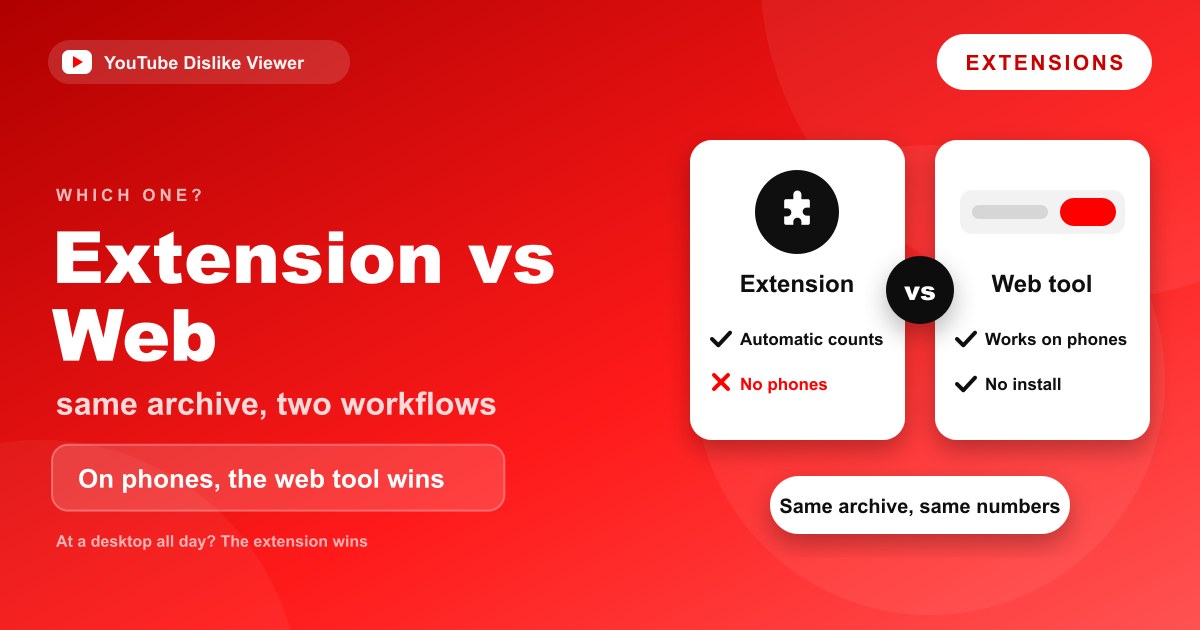
For checking YouTube dislikes, a browser extension and a web tool pull from the same archive, so the numbers are broadly the same either way. What differs is convenience, install cost, and where each one works. The extension wins for a desktop user who wants the count on every video without lifting a finger; the web tool wins on phones, on locked-down computers, for one-off checks, and any time the extension breaks. Neither is “better” in the abstract. It depends on how and where you watch.
This is an honest comparison, not a sales pitch. Both options exist because they solve the same problem in different situations, and plenty of people are best served by the extension. Here’s how to tell which fits you.
They read the same data
Start with what doesn’t differ. Return YouTube Dislike (RYD) maintains the public archive of dislike counts, and both the extension and reputable web viewers, including this one, draw their numbers from that same source.
So the accuracy conversation is identical for both. Counts on videos archived before November 2021 are real historical figures; counts on newer uploads are estimates that are steadier on popular videos than obscure ones. Picking the extension over a web tool, or the other way around, doesn’t get you a more “accurate” number, the how-it-works guide covers why in full.
That’s the key thing to internalize before comparing: this is a choice about workflow, not about data quality.
The comparison at a glance
| Browser extension | Web tool | |
|---|---|---|
| Install required | Yes, once per browser | No |
| Shows counts automatically while browsing | Yes | No, you paste each link |
| Works on mobile | No (extensions don’t run on phones) | Yes, in any phone browser |
| Works on a shared or locked-down computer | Often blocked | Yes |
| Keeps working when the extension breaks | N/A | Yes |
| Permissions to grant | Yes, runs on YouTube in your browser | None |
| Best for checking many videos in a session | Yes | Slower, one at a time |
| Best for a quick one-off check | Overkill to install | Yes |
No row makes one option a clear winner. Each has a column it loses, which is the whole point.
Where the extension is the better choice
Be plain about this: if you watch YouTube on a desktop and want the dislike count on every video without any extra step, install the extension. That’s what it’s built for, and a web tool can’t match it there.
Once it’s installed, the count is simply present on each video as you browse. You don’t copy a link, switch tabs, or paste anything, the number is where you’d expect it, all the time. For someone who checks dislikes constantly, that automatic, always-on behavior is worth the one-time install.
The ratio bar under the player is part of that appeal. Seeing the like-to-dislike split at a glance on every video, without asking for it, is a smoother experience than looking each one up. A heavy YouTube user at a desktop is genuinely better served by the extension, full stop.
Where the web tool is the better choice
The web tool’s advantages all come from needing no install, which matters in more situations than you might expect.
On a phone. Extensions don’t run in the YouTube app or in mobile Chrome and Safari, so on a phone the extension isn’t an option for most people. A web viewer runs as a normal page in whatever browser you already have. If you mostly watch on mobile, this is the deciding factor, the details are in Return YouTube Dislike on Firefox, Edge, Safari, and mobile.
On a work, school, or shared computer. Many managed computers block extension installs outright. A web page loads anyway, so you can check a dislike count on a machine where you can’t add anything to the browser.
When the extension is broken. YouTube layout changes and browser updates knock the extension out from time to time. A web tool that reads the archive directly keeps working through most of that, so it’s a reliable fallback while you fix the add-on, or instead of fixing it.
For a single quick check. If you just want the dislikes on one video, installing an extension, granting permissions, and reloading is a lot of setup for one number. Pasting a link is faster.
When you’d rather not grant permissions. An extension runs in your browser and learns which YouTube videos you watch. A web tool only sees the specific link you paste, and nothing sits in your browser between lookups, a smaller footprint some people prefer, as covered in Is the Return YouTube Dislike extension safe?.
No install needed: check any video’s dislikes in your browser, free, no login, works on mobile.
Browser-based tools can handle different YouTube-related tasks without requiring additional software. For example, a dislike viewer helps users check estimated video dislikes, while YouTube a MP3 provides a YouTube video preview and allows users to convert their own uploaded audio or video files into MP3 format. Each tool serves a different purpose depending on what users need.
Speed and workflow: how each one feels in use
The comparison table lists features, but the day-to-day feel is what decides which you’ll actually reach for.
With the extension, checking a dislike count is a non-event, the number is already on the page. There’s no action to take, which is why it suits people who glance at ratios constantly while browsing. The cost is entirely upfront: the one-time install and the permission grant.
With the web tool, each check is a small deliberate action, copy the link, paste it, read the number. That’s slower per video, so it’s a poor fit for someone auditing dozens of videos back to back. But for the single video you’re deciding whether to watch, it’s quicker than installing anything, and there’s no setup to carry around.
So the honest framing is: the extension front-loads the effort and then costs nothing per check; the web tool costs nothing to start and a few seconds per check. Which is cheaper overall depends entirely on how many videos you look up.
Pick by scenario
Sometimes it’s easier to see yourself in an example than in a feature list.
The casual viewer who mostly watches on a phone. The web tool, clearly. Extensions won’t run on your phone, and you’re not checking dislikes often enough to justify anything you’d install on a desktop you rarely use for this.
The desktop power-user who checks ratios all day. The extension. Automatic counts on every video pay back the install many times over, and you’re on a desktop where it runs properly.
The student or office worker on a managed computer. The web tool. Locked-down machines usually block extension installs, and a web page loads regardless. You get the count without fighting IT policy.
The small creator sizing up competitors’ videos. Either, and possibly both. The extension is handy while browsing your niche; the web tool is there when you’re on your phone or when the extension is mid-outage after a YouTube change.
The person who wants the smallest privacy footprint. The web tool. It only ever sees the links you paste, with nothing running in your browser between lookups.
Can you use both? Yes
These aren’t rivals you have to choose between once and for all. Plenty of people run the extension on their main desktop browser and keep the web tool bookmarked for their phone and for the days the extension acts up.
That combination covers every case: automatic counts where you do most of your watching, and a no-install fallback everywhere else. There’s no downside to having both, since they cost nothing and read the same data.
A practical setup: install the extension on your home desktop, and bookmark the web tool on your phone’s home screen so it’s one tap away when you’re away from that desktop. You end up with the count wherever you happen to be watching, without thinking about which method you’re using.
Common misconceptions
A few beliefs float around that are worth correcting.
“The extension is more accurate than a website.” It isn’t, both read the same archive, so a recent-video estimate is an estimate in either place. Accuracy is a property of the data, not the delivery method.
“A website must be scraping YouTube directly.” A reputable dislike viewer reads the public RYD archive, the same source the extension uses. It’s not pulling secret numbers off YouTube, and no third-party tool can show the exact count for a recent video, only YouTube and the video’s owner have that.
“Installing an extension is always safer than trusting a website.” Not necessarily. An extension asks for permissions and runs continuously; a web page you only visit when you want a number has a smaller footprint. Each has trade-offs, and neither is automatically the safe choice.
“The web tool must be slower or less updated.” The tool reads the live archive on each lookup, so it reflects the same current estimate the extension would show. It isn’t running an older snapshot, the freshness of the number comes from the shared archive, not from how recently you installed anything.
Frequently asked questions
Is the extension or the web tool more accurate?
Neither. Both read the same public archive of dislike counts, so the numbers match. Accuracy depends on the video, real figures for pre-November-2021 uploads, estimates for newer ones, not on whether you use the extension or a website.
Can I check YouTube dislikes without an extension?
Yes. A web-based dislike viewer lets you paste a video link and read the count with nothing installed. It reads the same archive the extension uses and works on phones and locked-down computers where extensions can’t run.
Which is better for mobile?
The web tool, without question. Extensions don’t run in the YouTube app or in mobile browsers for most people, so a web page you open in your phone’s browser is the practical way to see dislikes on mobile.
Does the web tool need any permissions or login?
No. You paste a link and get a number, no account, no install, and no browser permissions to grant. It only sees the specific video you look up, not your wider browsing.
Should I install the extension if I already use the web tool?
Only if you want counts to appear automatically on a desktop browser. If you check dislikes now and then, or mostly on a phone, the web tool alone is enough. Many people use both and let each cover what it does best.
Use this if…
Use the extension if you watch on a desktop, want the count and ratio on every video without any extra step, and don’t mind a one-time install and the permissions it needs.
Use the web tool if you’re on a phone, on a computer where you can’t install anything, checking a single video, dealing with a broken extension, or you’d rather not grant browser permissions.
Both draw on the same archive, so you’re never trading away accuracy, only picking the workflow that fits where you watch. Most people don’t have to choose for good, either: run the extension on your main desktop and keep the tool for everywhere else. And if the answer for right now is a phone, a shared computer, or just this one video, look up the dislikes in your browser and you’re done in seconds.
Neither approach changes the underlying numbers, only how you reach them; both track the same public archive.